
The Clanker Support WordPress plugin is approved — here's how it was built
Clanker Support is now an approved WordPress.org plugin. The story of building it, getting through the plugin review (including the zip that was secretly a tar), and how to put an AI support agent on your WordPress site in under a minute.
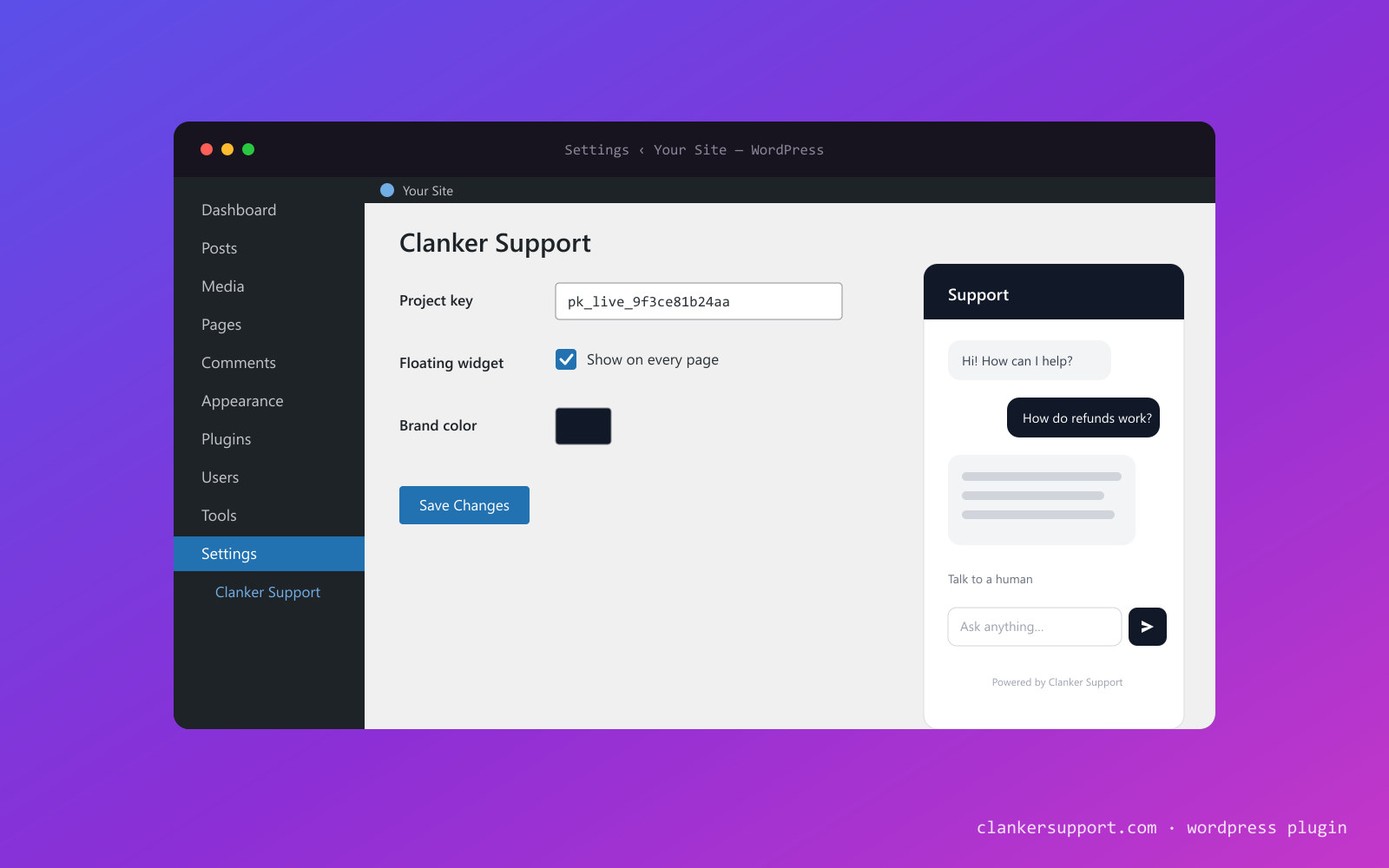
Good news for the roughly 40% of the web: Clanker Support is now an official WordPress plugin, approved for the WordPress.org plugin directory. Install it, paste your project key under Settings → Clanker Support, save — and every page on your site gets a streaming AI support agent that answers from your knowledge base and hands off to a human when it should.
This post is the whole story: why we built it, what it took to get through the WordPress.org review (spoiler: our zip file was secretly a tar), and how to use it.
Why a plugin at all
Adding a chat widget to WordPress has always meant one of two bad options: edit your theme and paste a script tag into header.php (which silently disappears the next time you switch or update themes), or install a generic "insert headers and footers" plugin and manage raw HTML in a settings box. Either way, you're maintaining code to use a product that was supposed to save you time.
The plugin is the third option. It's deliberately thin — under the hood it enqueues the same widget.js embed our dashboard generates — but moving it into a plugin changes what it's like to live with:
- It survives your theme. The settings live in your database and the widget is injected on every front-end page, whatever theme is active.
- No performance tax. The script loads asynchronously and renders after your page is interactive. The plugin ships no JavaScript or CSS of its own to your visitors — one script tag is its entire front-end footprint, and nothing loads in the admin area.
- Always current. The widget ships from the API, not from the plugin, so new widget features appear on your site without a plugin update.
- Reconfigure without touching HTML. Brand color, escalation threshold, turning the bubble off — all settings saves, not snippet edits.
What we built
Everything lives on one screen under Settings → Clanker Support:
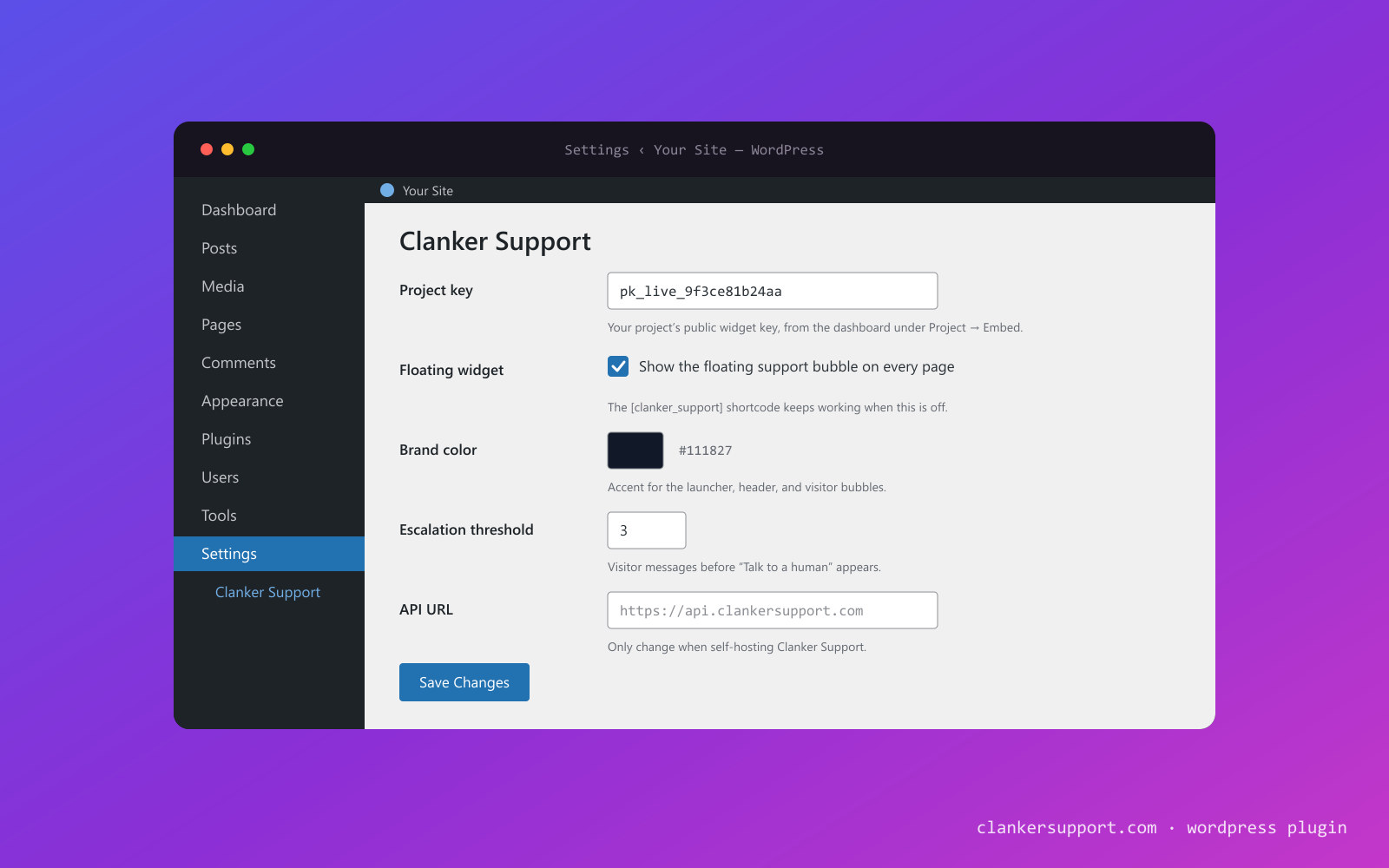
- Project key — the public key from your dashboard (Project → Embed). It's the same key the script embed exposes in your HTML, so it isn't a secret.
- Floating widget — the site-wide launcher bubble, on by default.
- Brand color — match the launcher and chat bubbles to your site.
- Escalation threshold — how many visitor messages before "Talk to a human" appears. Leave it blank and the widget uses your project's server-side default.
- API URL — for self-hosters (more on that below).
The settings page also does something a pasted script tag never will: it checks itself. On load, the plugin verifies your project key server-side against the API and shows a status pill — connected, invalid key, or unreachable — so a typo'd key is caught on the settings screen, not discovered days later when you wonder why nobody's chatting. The result is cached for five minutes, and saving the settings re-checks immediately.
And the floating bubble isn't the only placement. Drop the shortcode into any page or post — a contact page, a help center, a pricing FAQ — and the chat renders inline in a sandboxed iframe:
[clanker_support width="400" height="600"]
The shortcode works even when the site-wide bubble is toggled off, so you can offer chat only where it makes sense.
Your visitors get the same full support loop as every Clanker Support embed: streaming AI answers grounded in your docs, human escalation that notifies your team by email and Slack, operator replies from the dashboard inbox appearing in the widget within seconds, and per-message ratings with an end-of-conversation CSAT prompt.
The build: shipped in a day, rebuilt the next
The first version came together in an afternoon — a thin, pure-PHP injector, a settings page, the shortcode, a packaging script. We merged it, looked at it against what the WordPress.org directory actually expects, and pulled it back the same day.
Because a plugin that works and a plugin that belongs in the directory are different artifacts. The rebuild that landed the next morning added everything reviewers (and WordPress conventions) expect: a proper class-based structure instead of one long bootstrap file, a translation template so the plugin is translatable, silence-is-golden index.php files in every directory, an uninstaller that removes the plugin's two stored values (its settings option and the connection-status cache — conversations live in your Clanker Support project, never in your WordPress database), directory listing assets, and a full readme.txt in the WordPress.org format.
The readme deserves a special mention. Since the plugin is a connector to a hosted service, WordPress.org requires an explicit external services disclosure: what loads from where, what data is sent, and links to the terms and privacy policy. Ours spells out that the widget script comes from your configured API origin, that nothing about a visitor is sent until they interact with the widget — and that if you self-host, every one of those requests goes to your own deployment instead of ours.
The review: three rejections' worth of lessons
Before a human reviewer ever sees your plugin, automated checks run on the upload — and ours found things.
The zip that was secretly a tar. Our packaging script built the upload zip with the system archiver, and on Windows that quietly falls apart: there's no zip CLI, tar.exe accepts -a -cf plugin.zip but can't actually write zip format — so it silently emits a TAR with a .zip name — and the PowerShell alternatives store backslash entry paths that unzip into garbage on Linux. The WordPress.org uploader rejected the artifact with the marvelously unhelpful "the plugin has no name." The fix: we threw out every external archiver and wrote a minimal zip writer on Node's built-in zlib — one deterministic code path on every OS — and the build now verifies the magic bytes of its own output. If your zip doesn't start with PK, it isn't a zip.
Plugin URI ≠ Author URI. The submission checker requires the plugin's homepage and the author's homepage to be different URLs. Both of ours pointed at clankersupport.com. The Plugin URI now points at the plugin's home in our monorepo on GitHub.
Validate the readme where the validator can read it. The readme validator accepts a URL — but point it at a normal GitHub file link and it gets GitHub's HTML page, not your readme. We keep a byte-for-byte mirror of readme.txt at the package root and validate against the raw URL.
With those fixed, the submission went in — and a few days later, the approval came through. Approval on WordPress.org means the plugin gets its own SVN repository and a directory listing, which brings the two things a GitHub zip can't: one-click installs from Plugins → Add New, and automatic updates for everyone who installs it.
Using it
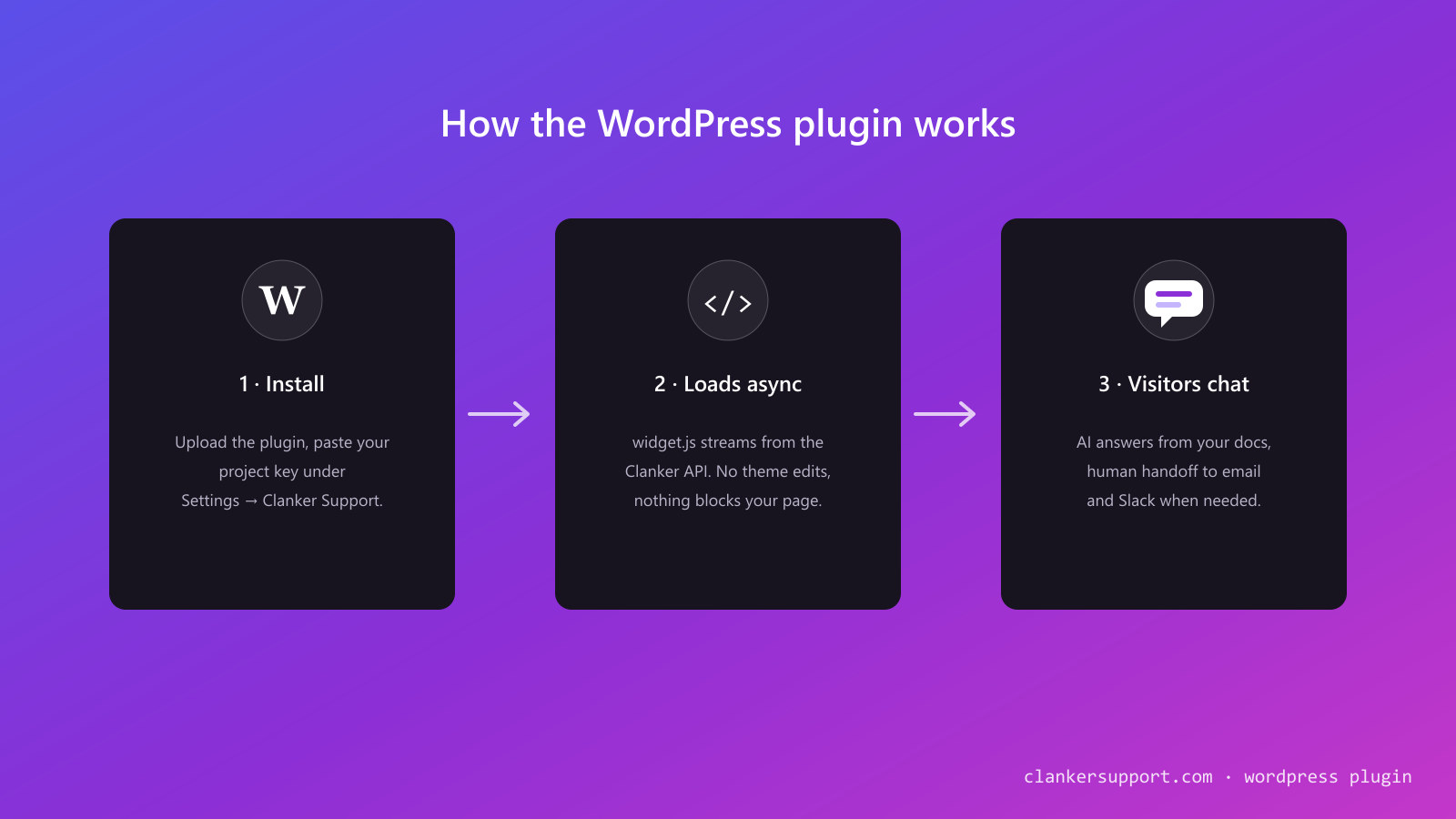
- In your WordPress admin, go to Plugins → Add New and search for "Clanker Support" (or grab the zip from GitHub and upload it under Add New → Upload Plugin).
- Install and activate.
- In your Clanker Support dashboard, copy your project's public key (Project → Embed).
- In WordPress, go to Settings → Clanker Support, paste the key, and save. Watch the status pill turn to connected.
That's the whole setup. The bubble is live on every page; add the [clanker_support] shortcode wherever you want inline chat.
And because Clanker Support is open source (theopenco/llmchat), the plugin treats self-hosters as first-class: point the API URL setting at your own deployment and everything — the widget script, the chat API, the inline embed, even the settings page's connection check — talks to your infrastructure instead of ours.
Next on the roadmap: automatically identifying logged-in WordPress users so escalations arrive with a name and email attached, and WooCommerce context so the agent knows about the visitor's order. If either of those matters to your store, come tell us in Discord — it directly shapes what we build first.